Projeto Simples
A feasibility platform for real estate development, from the lot to the financial result.
Weeks of spreadsheets for every study.
As an architect working with small developers, I spent weeks on each feasibility study: reading zoning rules, testing building massings, estimating costs and modelling revenue in spreadsheets.
I created Projeto Simples to deliver these studies faster and with more precision, and to stand out when presenting them to brokers and developers.
It reads the georeferenced lot from the city's database, applies the master plan, builds a 3D massing and turns it into unit mix, costs, revenue and returns.
I designed it end to end and built it myself with AI assistance: the information architecture and flows, the design system, the PostgreSQL database, the Python engine that runs the scenarios, and the Next.js front end.
Ten connected steps, from the lot to the financial result.
- 01 Lot
- 02 Zoning
- 03 Massing
- 04 Product
- 05 Construction
- 06 Revenue
- 07 Sales
- 08 Financing
- 09 Scenarios
- 10 Verification
Four decisions that shaped the product.
- 01
One study, one linear flow.
Each step depends on the previous one, so the study is a guided sequence with a progress sidebar instead of a free-form dashboard.
- 02
A summary that never leaves.
Every step opens with the same four key indicators, so users always see the consequence of what they just changed.
- 03
Real data first.
The lot comes from the city's database instead of being drawn from scratch, removing the slowest and most error-prone task.
- 04
Ranges, not a single number.
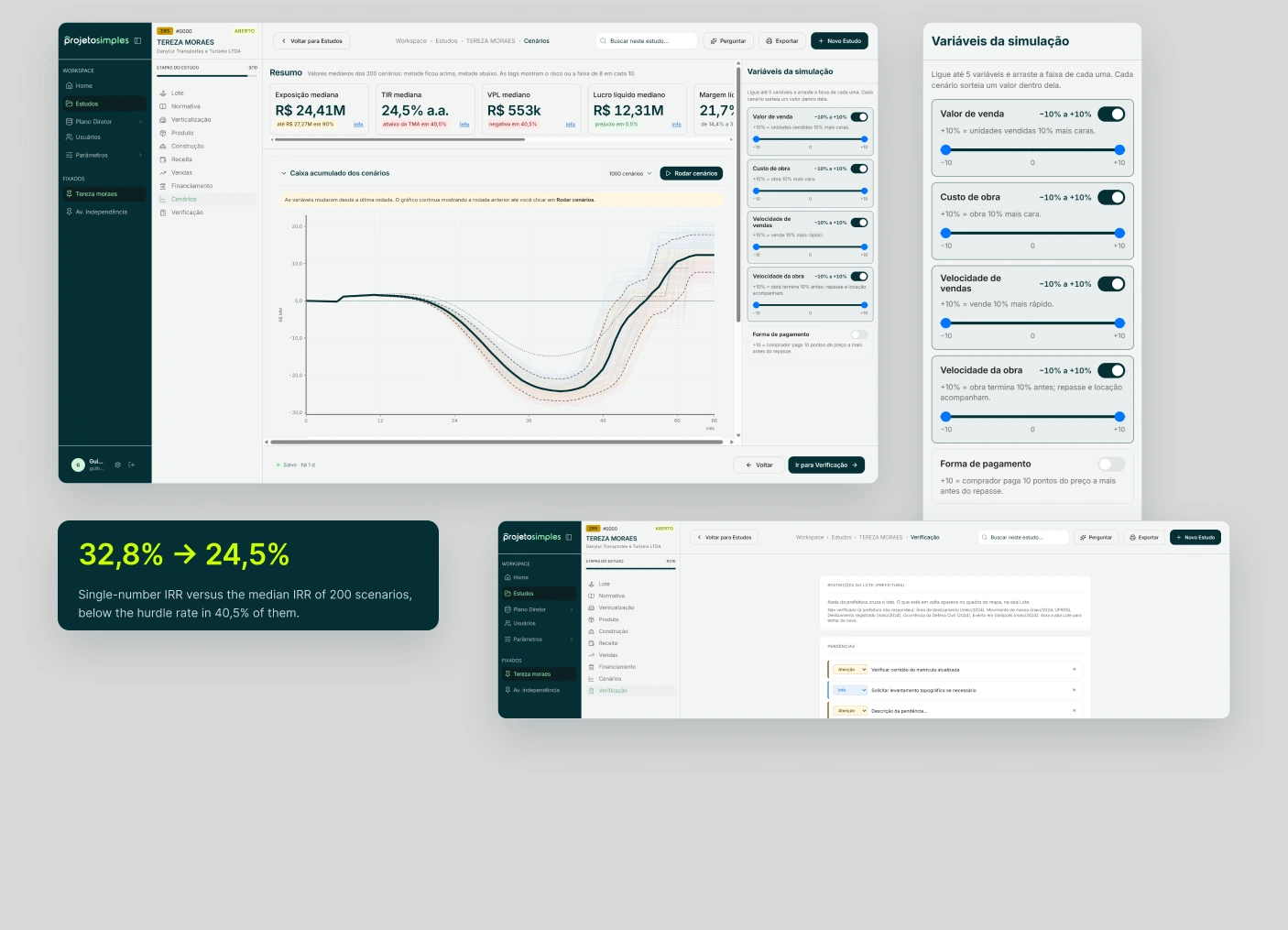
The Scenarios step runs hundreds of simulations varying sales price, construction cost, sales speed and construction speed, showing the median and the spread of results instead of one optimistic figure. The simulations run in Python.
302 variables, one source for every screen.
Dense financial screens only stay readable if every color, space and size has a reason. I built the product on a token system first, so each new step of the study reused the same decisions instead of inventing new ones.
- 302
- variables in total
- 3
- token tiers: brand, colors, semantic
- 2
- themes, light and dark
- 52
- primitives for space, radius and size
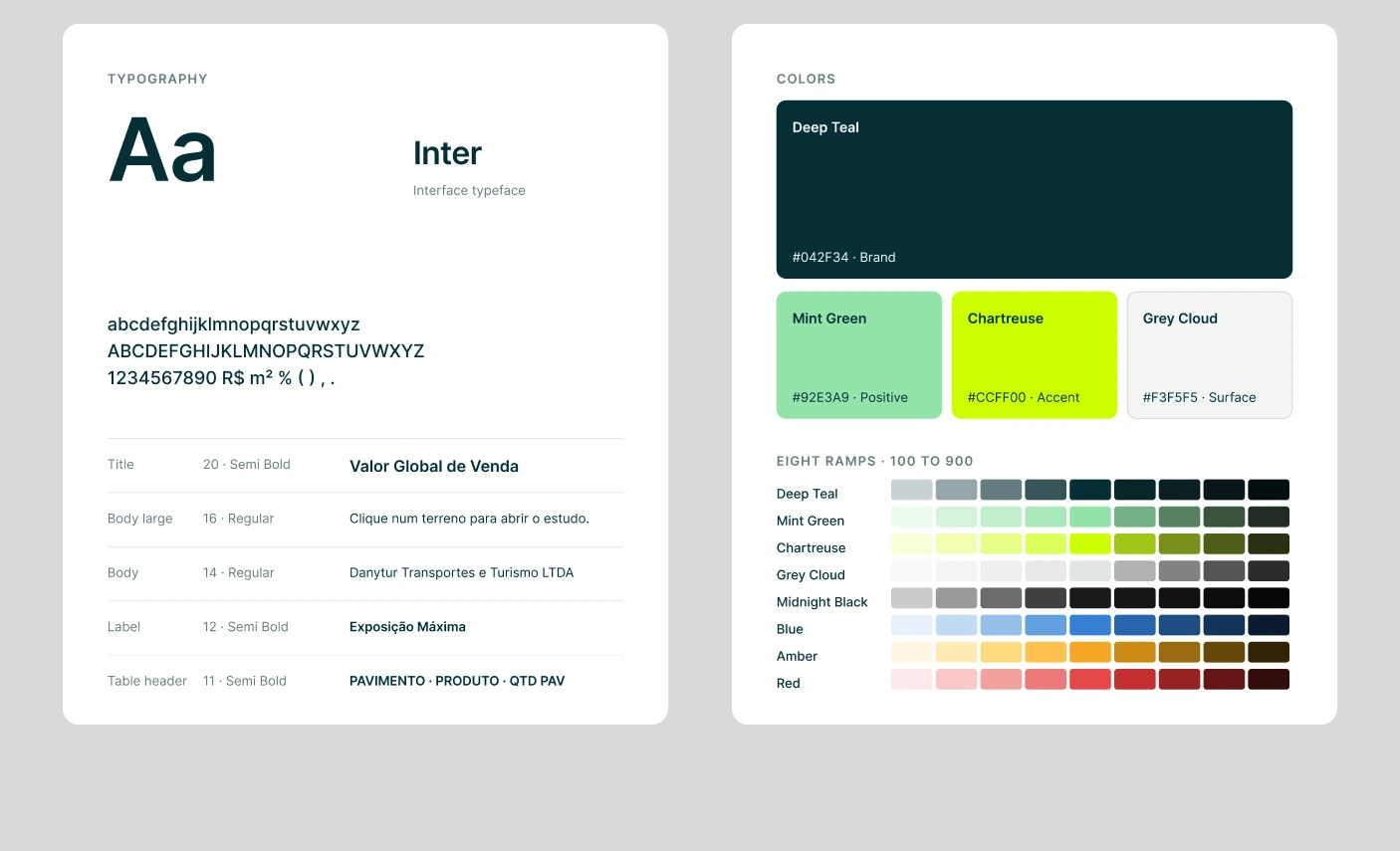
The library behind the ten steps.
Rebuilt from the app as it runs today. Each part reads from the same tokens for color, spacing, size and state, so a new screen starts from decisions already made.
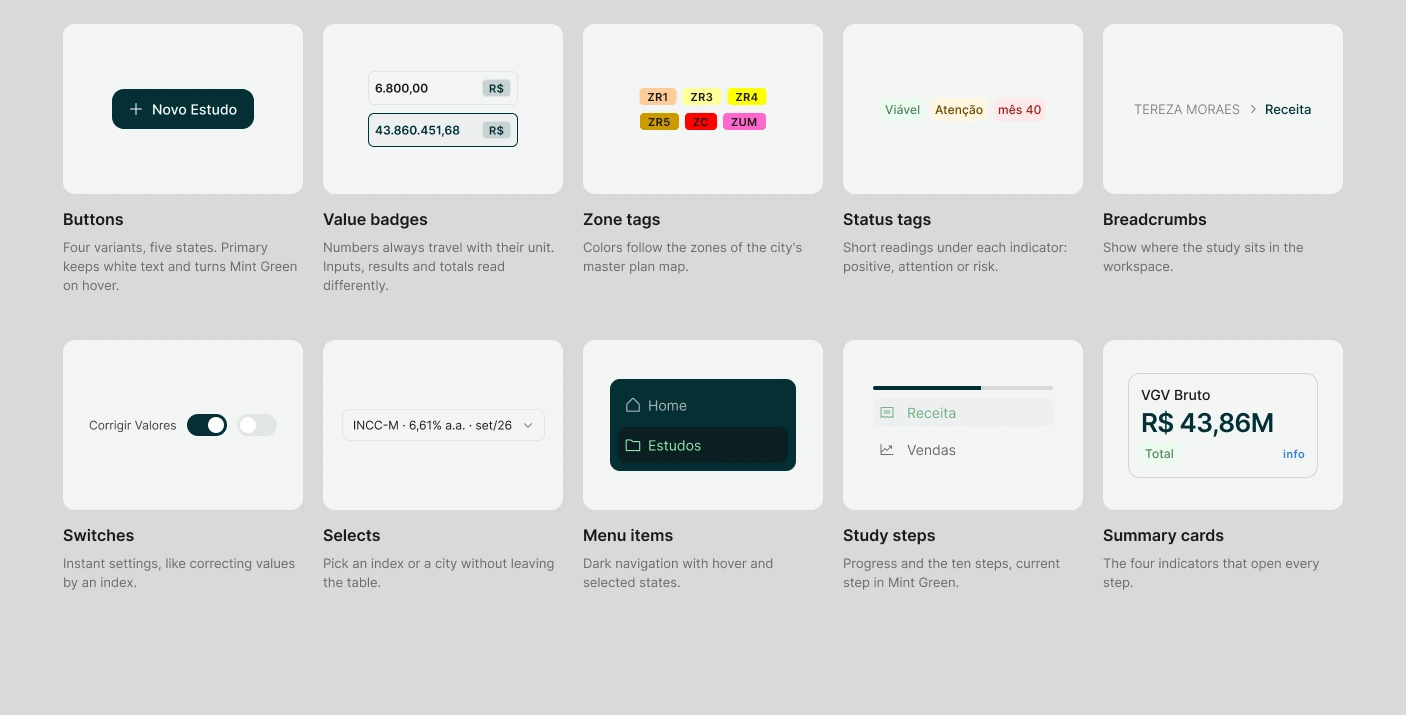
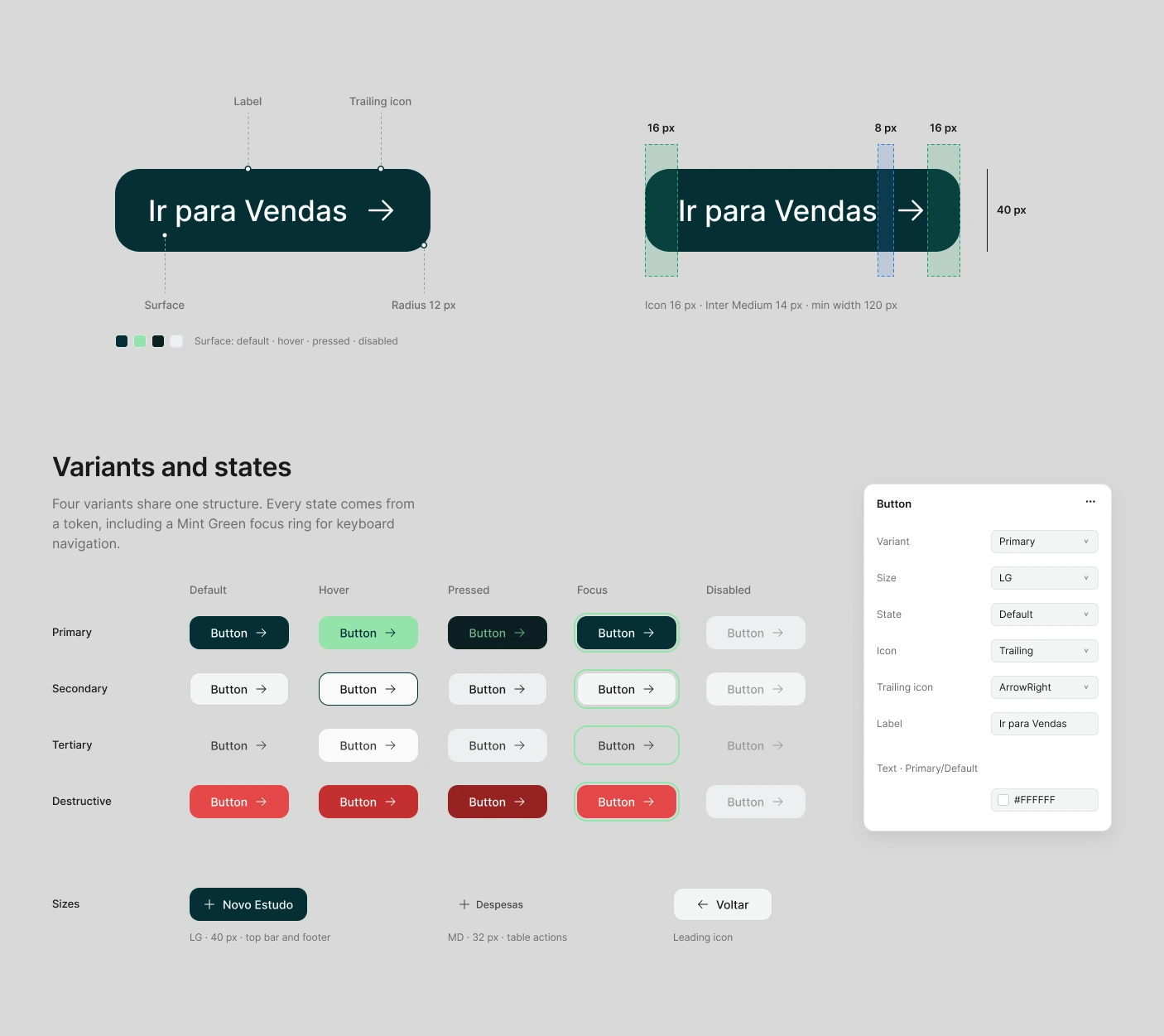
Buttons
Surface, text and border change with the variant and the state, while height, padding, gap and radius stay fixed. Primary keeps white text on Deep Teal and turns Mint Green on hover.
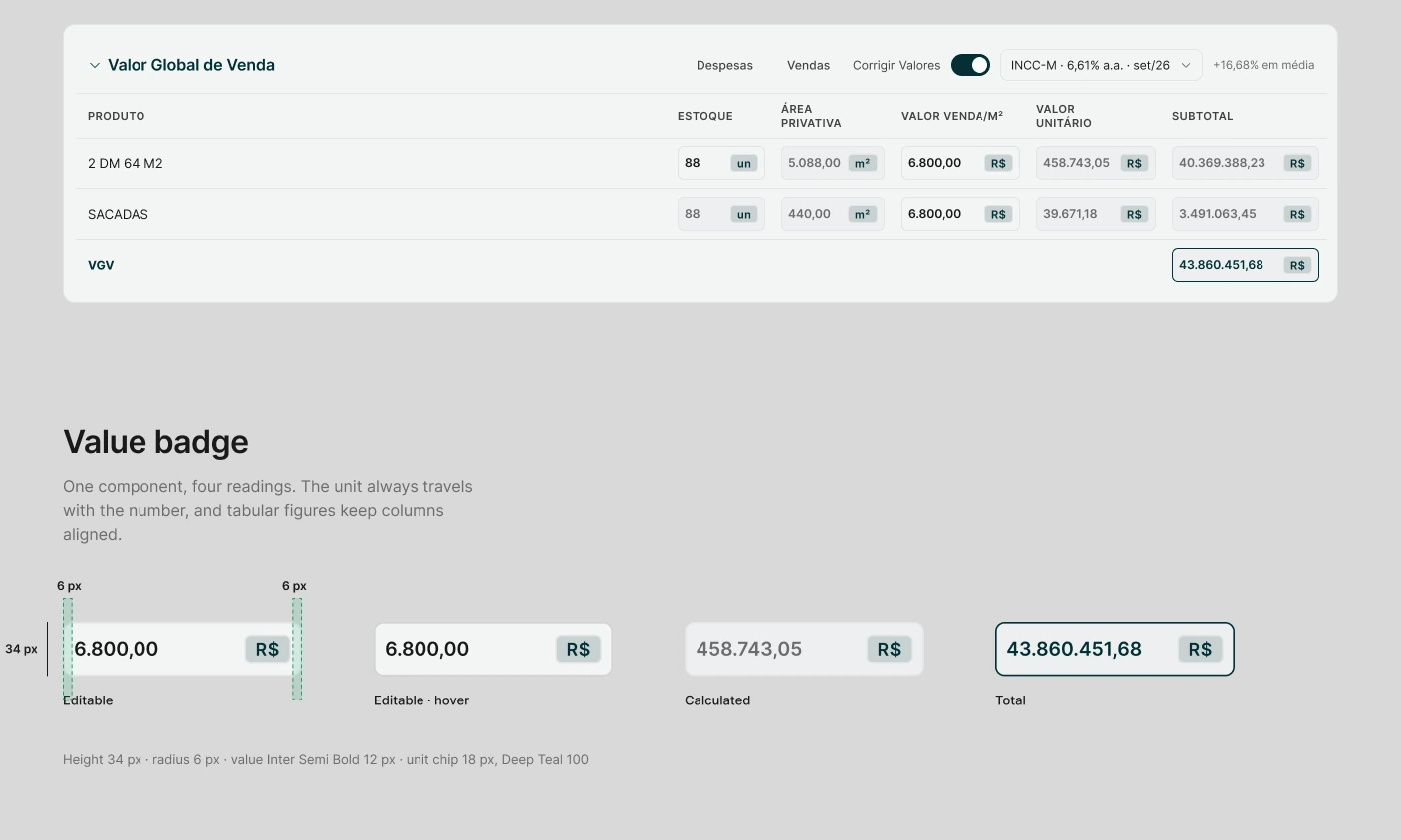
Tables
Editable values sit on the page surface, calculated values one step darker, and totals take a Deep Teal border, so the eye separates inputs from results without reading labels.
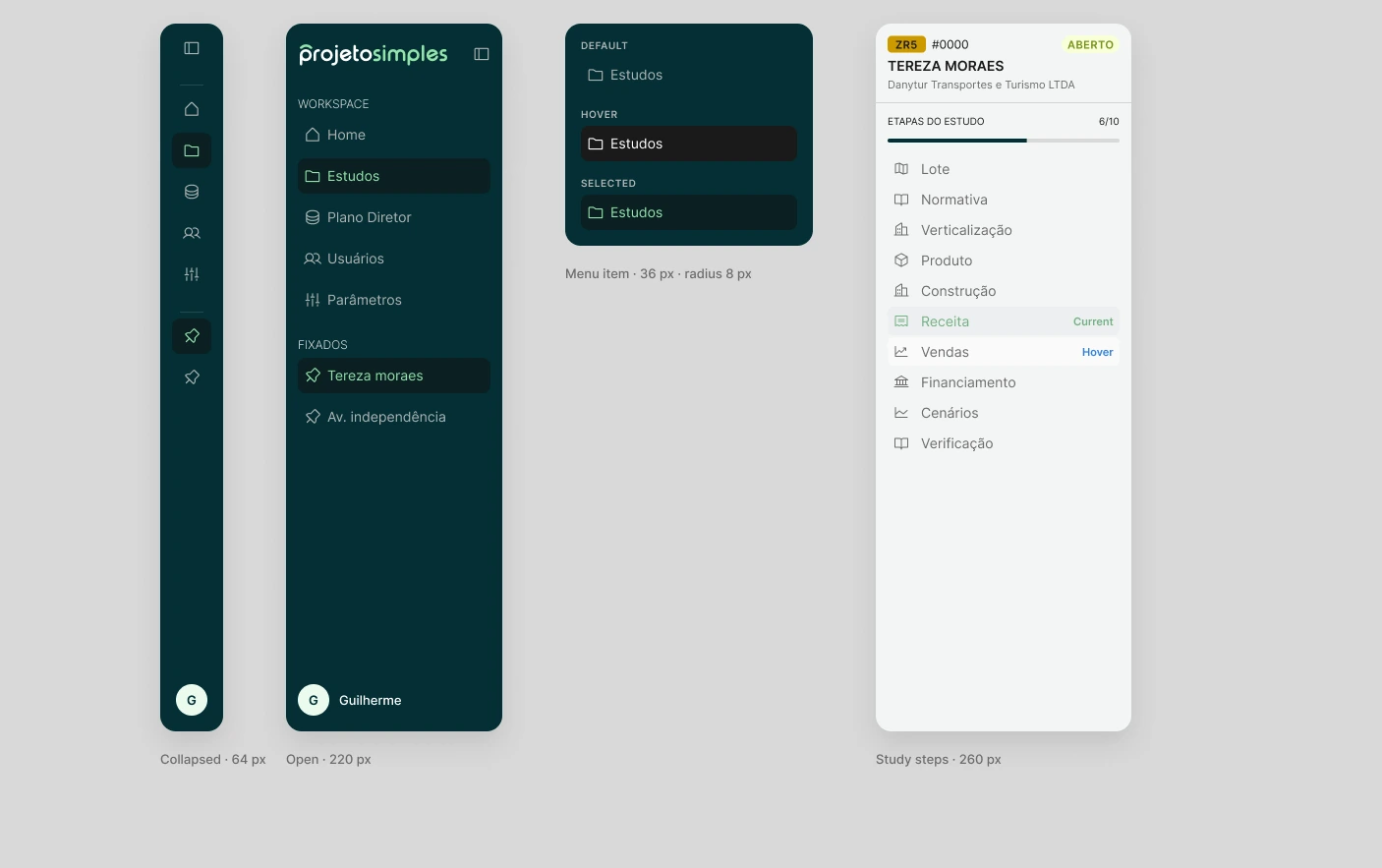
Navigation
Two sidebars split the job. The dark one moves between areas of the workspace and collapses to icons. The light one belongs to the study: zone, status, progress and the ten steps.
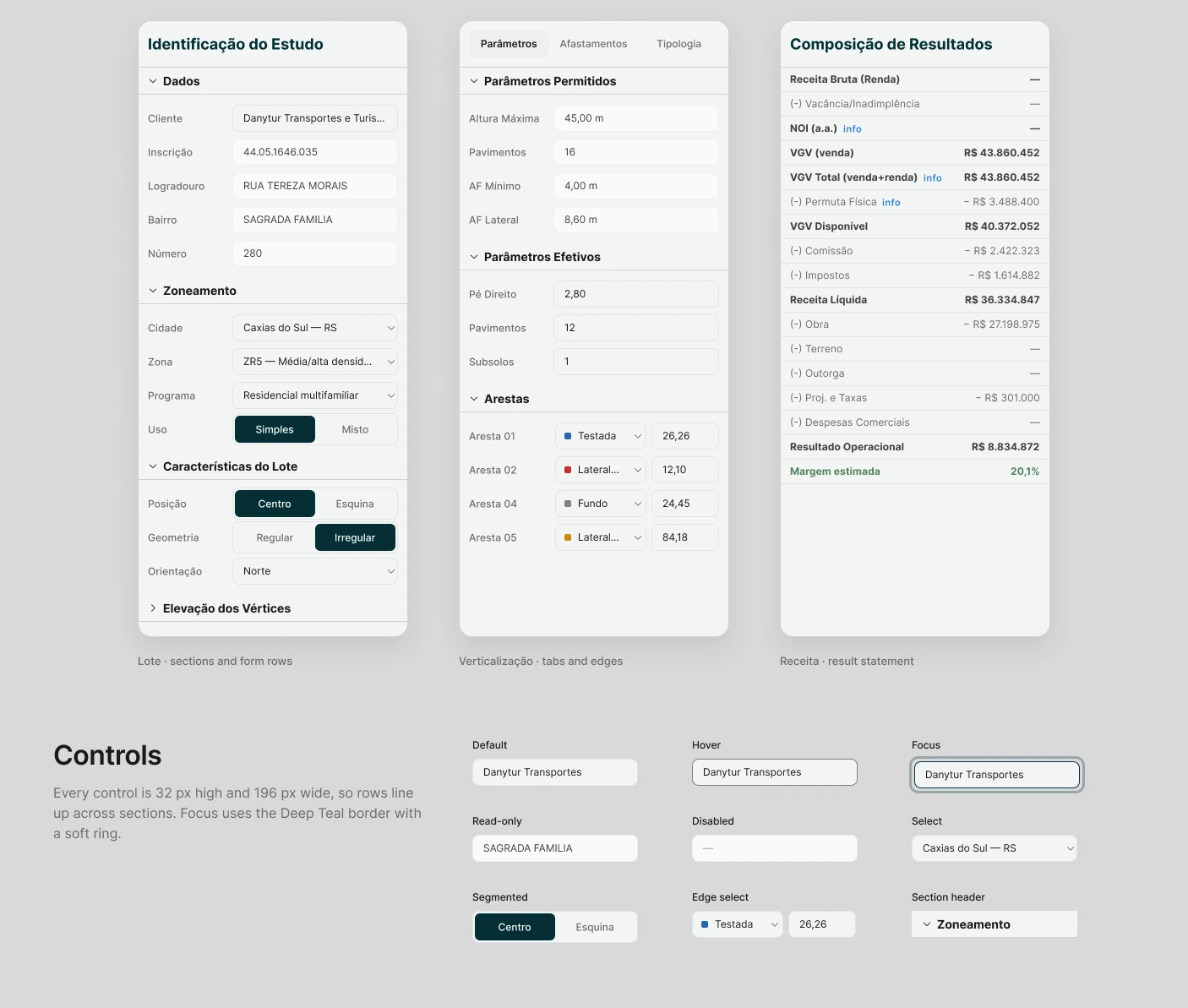
Right sidebar
Collapsible sections group the inputs of each step, every row pairs a label with one control of the same width, and read-only data from the city sits a step lighter than what the user can change.
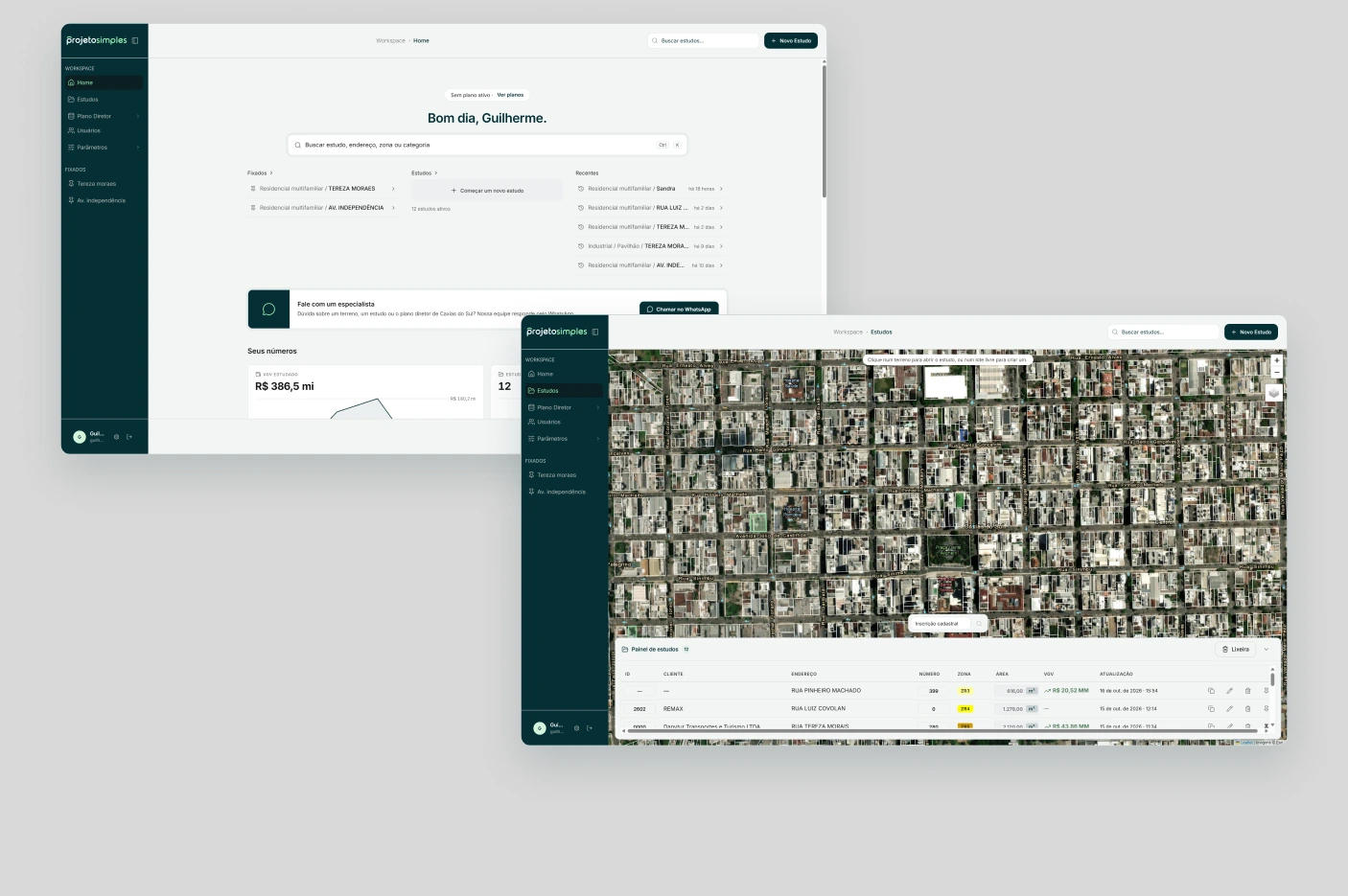
Workspace
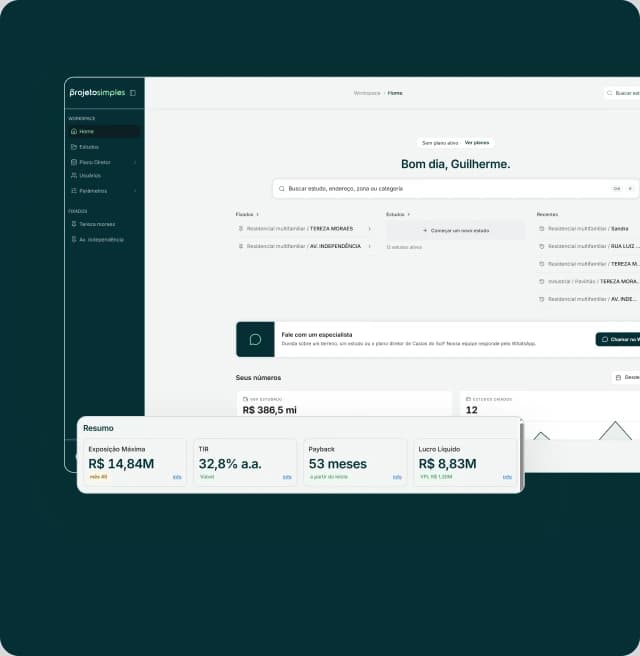
The home shows pinned and recent studies and the totals studied so far. The studies panel puts every lot on the city map: click a lot to open its study, or a free lot to start a new one.
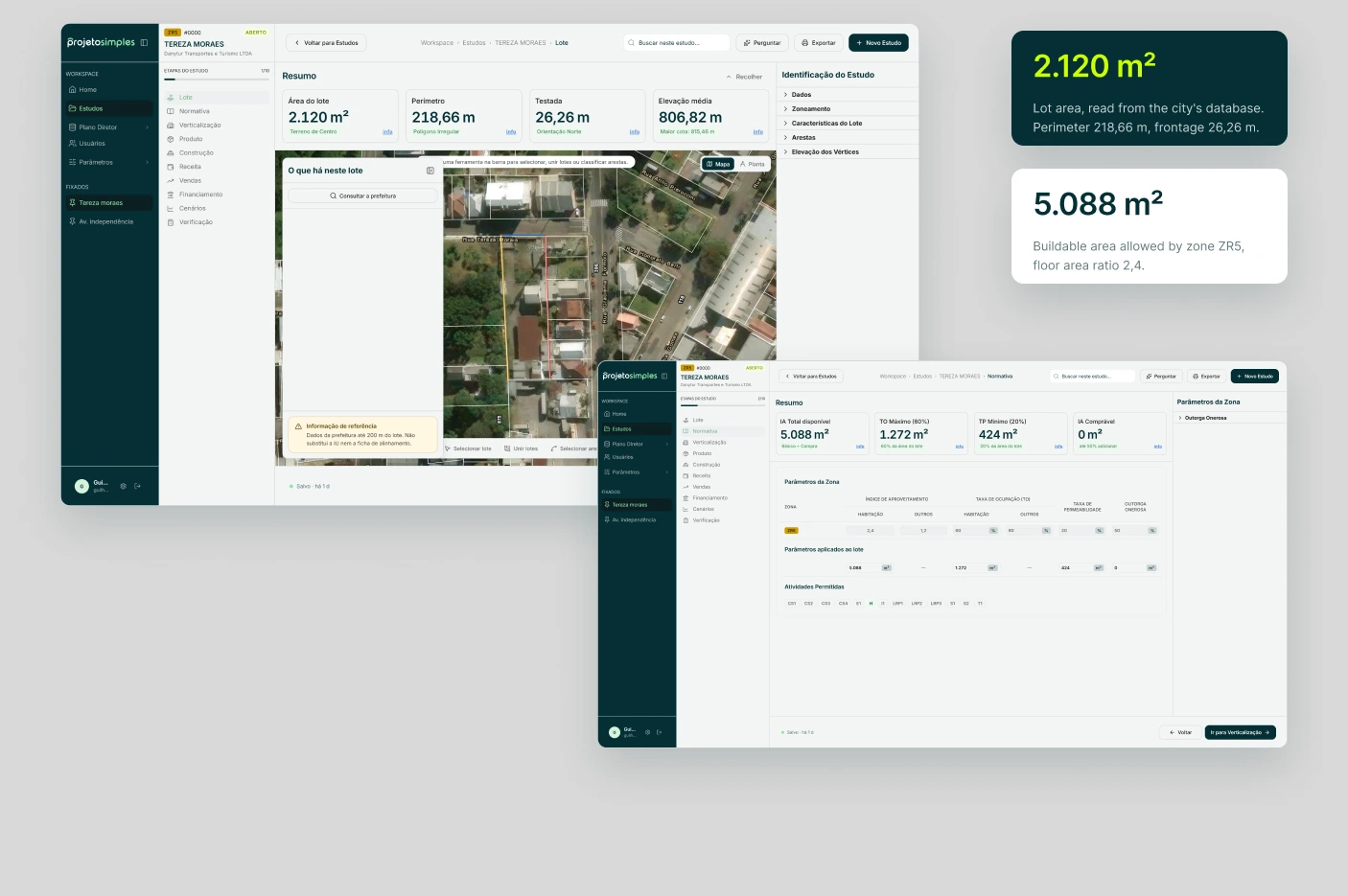
Lot and zoning
The lot comes from the city's georeferenced database, over satellite imagery. Normativa applies the zone's parameters to that exact lot.
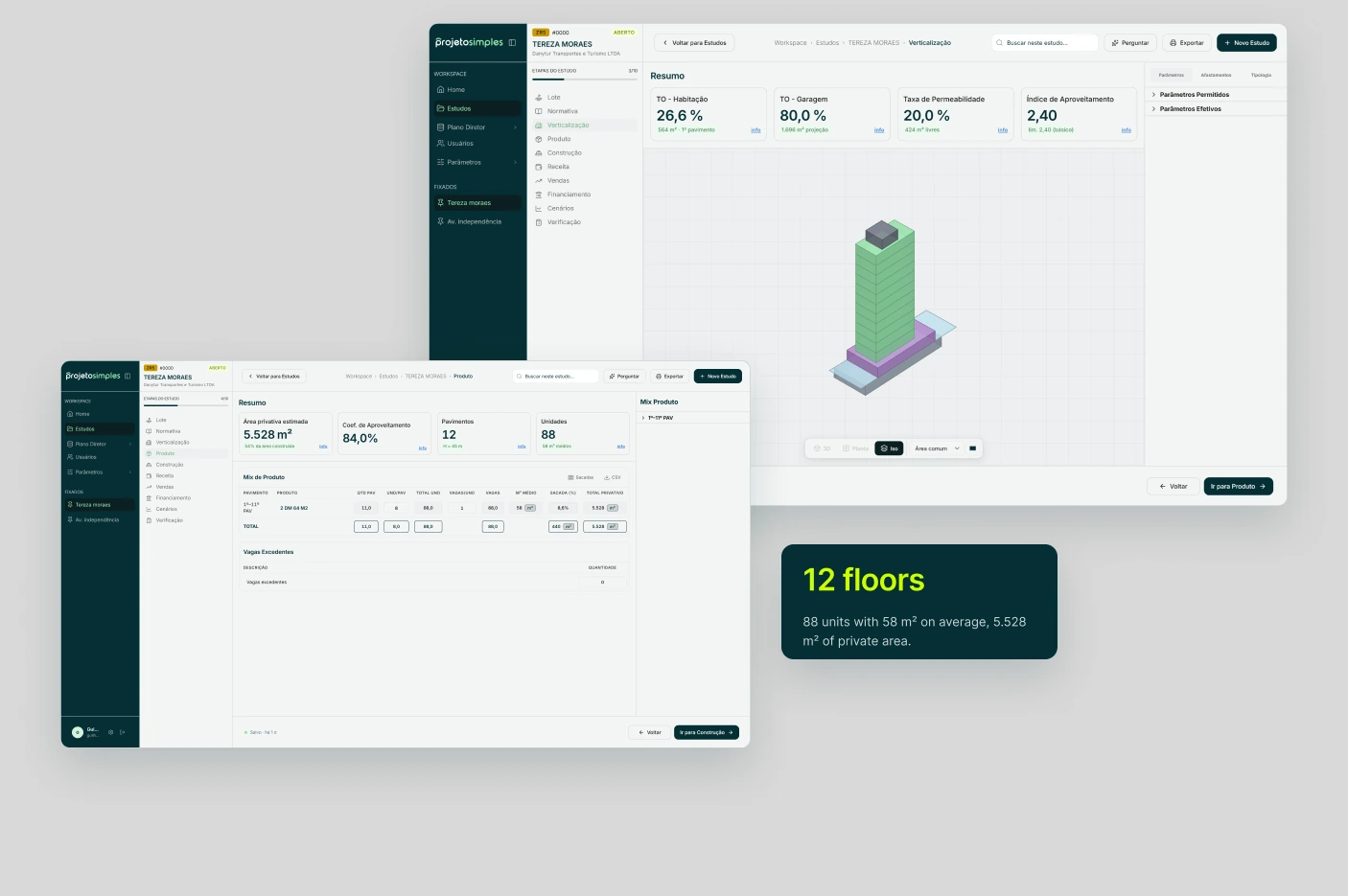
Massing and product
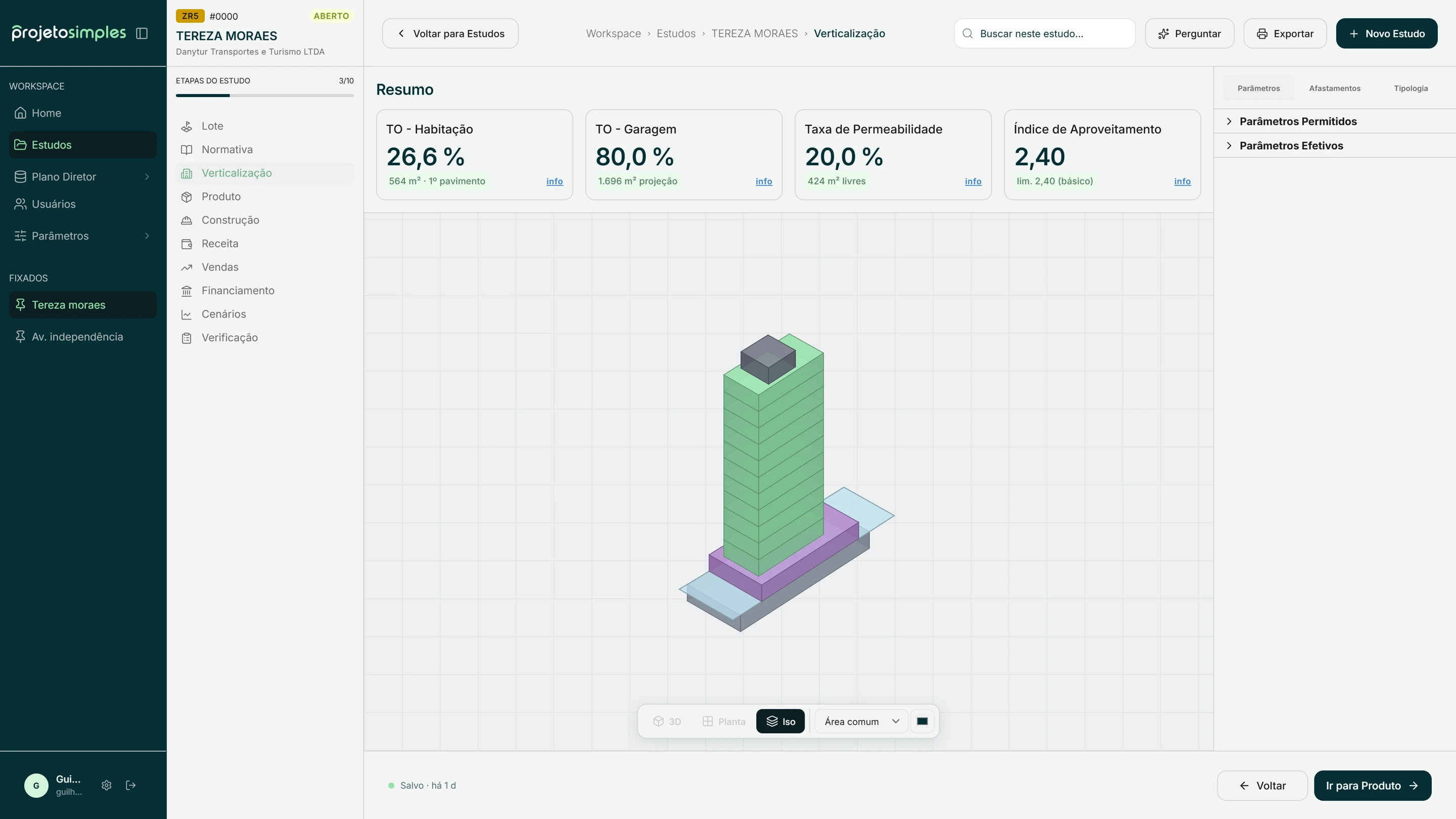
The zoning envelope becomes a 3D massing, checked against lot coverage, permeability and floor area ratio. Each floor then receives a product, and the unit mix and private area are calculated as you go.
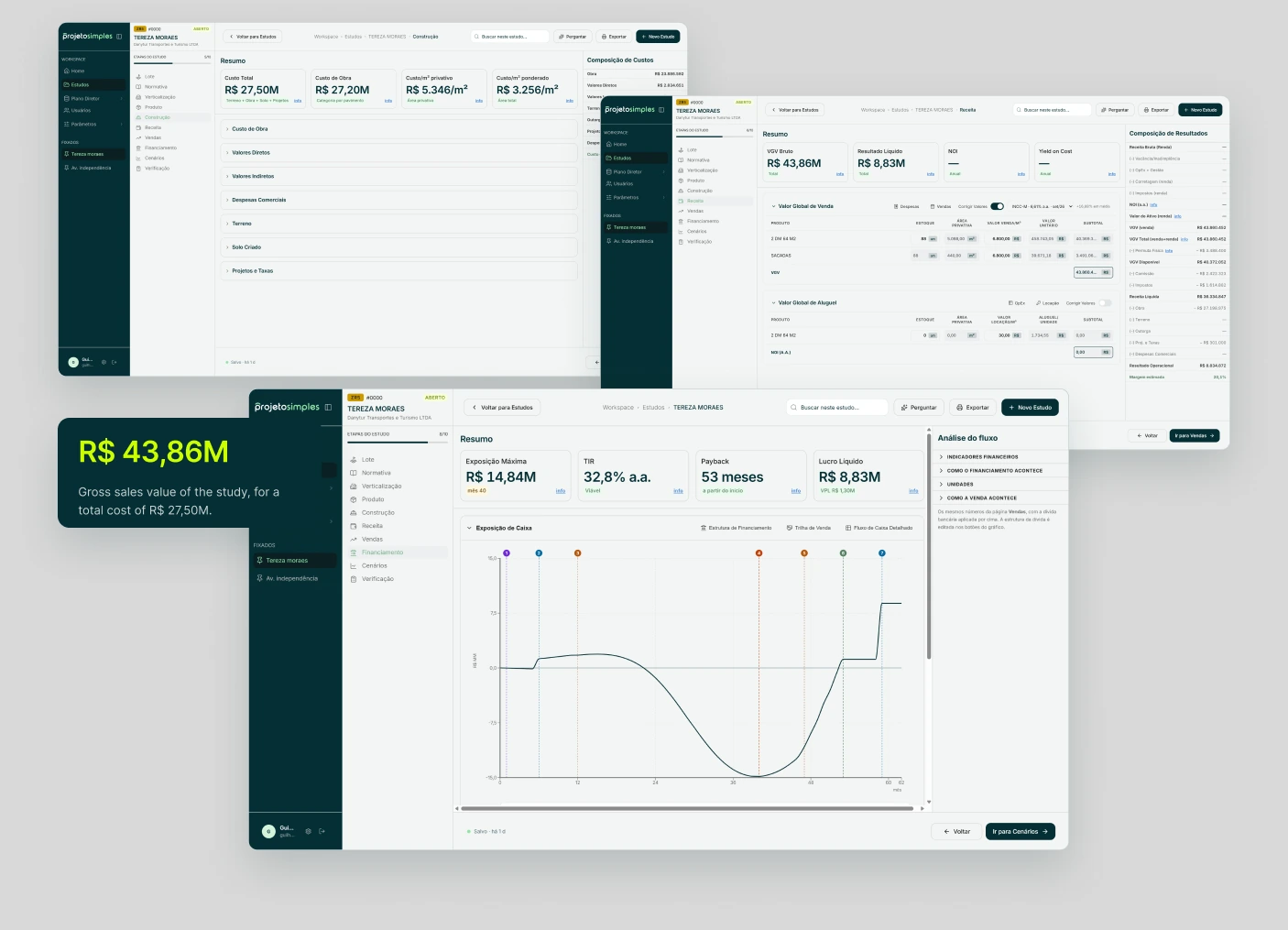
Costs, revenue and cash flow
Construction costs, sales values and payment terms feed a monthly cash flow. Sales and Financing show the result over time, with and without bank financing.
Scenarios and verification
Scenarios runs 200, 500 or 1,000 simulations varying sales price, construction cost, sales speed and construction speed. Verification lists the city's restrictions on the lot and the study's pending items.
15+ conversations, one consistent signal.
- Brokers
Found the process too complex for how they work.
- Architects
Wanted it more customizable to their own methods.
- Developers
Valued the results, but it did not solve a pain urgent enough to change how they work.
A tool that fits one expert is not a product that fits a market.
I designed the product for myself, around my own workflow and taste. It works very well for that: R$ 232 million in sales value has been studied on it.
If I started again, I would interview brokers and developers before designing, define one primary user, and ship a much smaller first version focused on their most urgent problem.
Building it also showed me what I enjoy most: understanding a complex problem, prototyping, and designing how people move through it. That is why I am moving into product design.
Thanks for reading.
- Product design
- Guilherme Conte
- Front end and database
- Guilherme Conte, with AI assistance
- Year
- 2026